FAQ
Frequently Asked Questions
1. How to Create Account ?
Step 1: visit https://navya.trinix.in
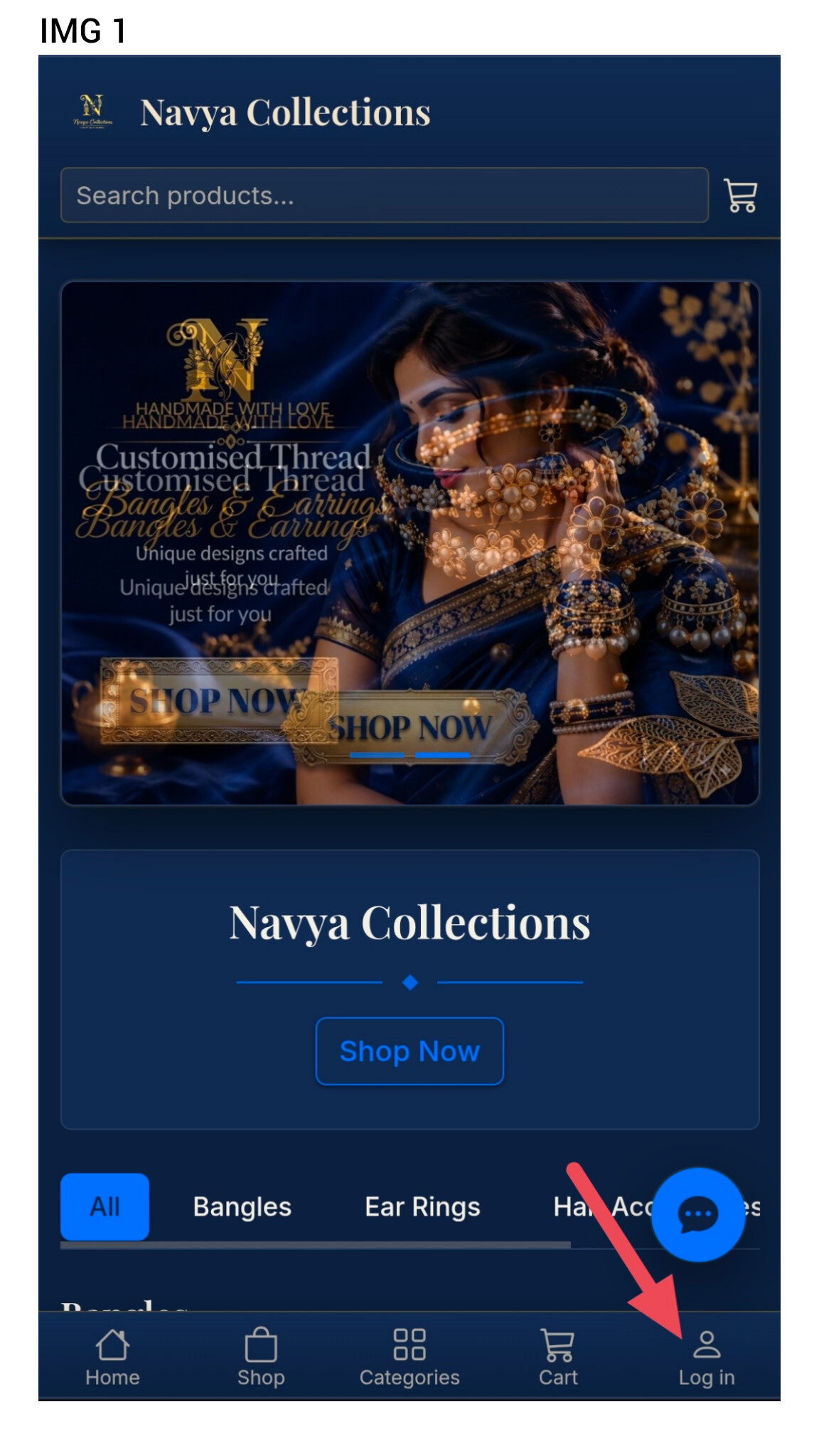
Step 2: Click on the Login Icon Shown in Image
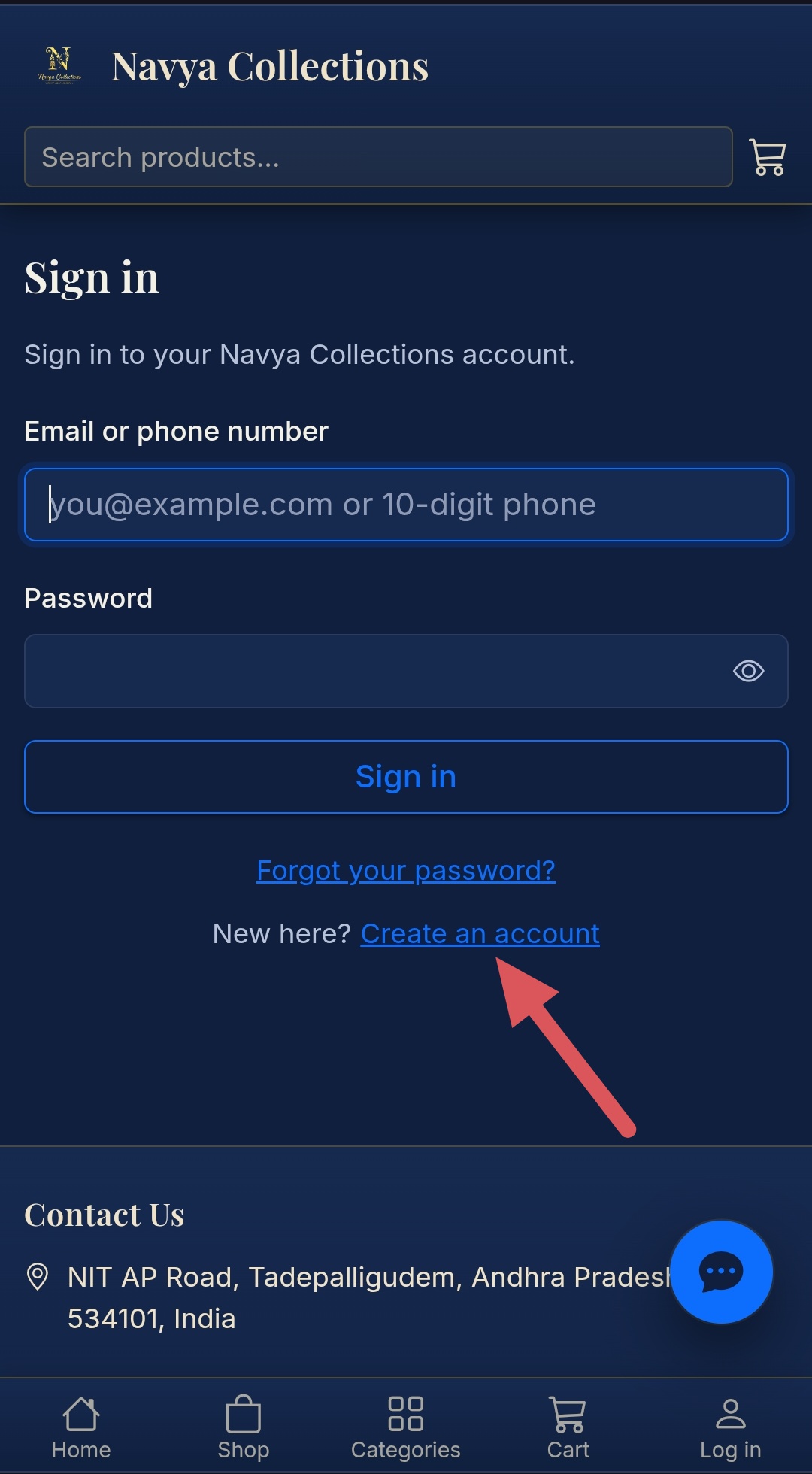
Step 3: you are redirect to login page
Step 4: Click Create an Account as Shown in Image
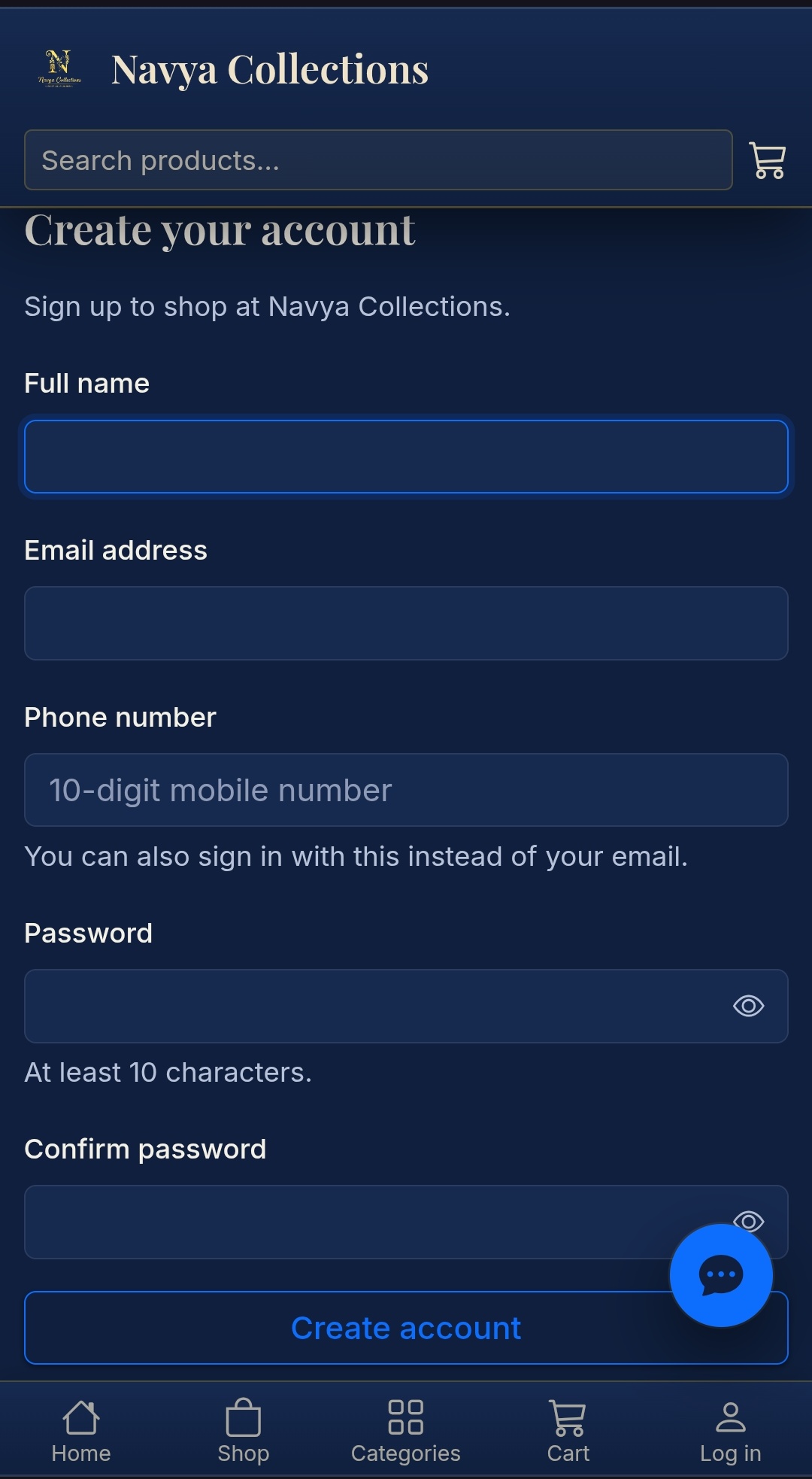
Step 5: Your are redirect to Create Account Page
Step 6: Fill all the details and Create an Account
Step 7: After Creating Account you get login credentials to your registered email.
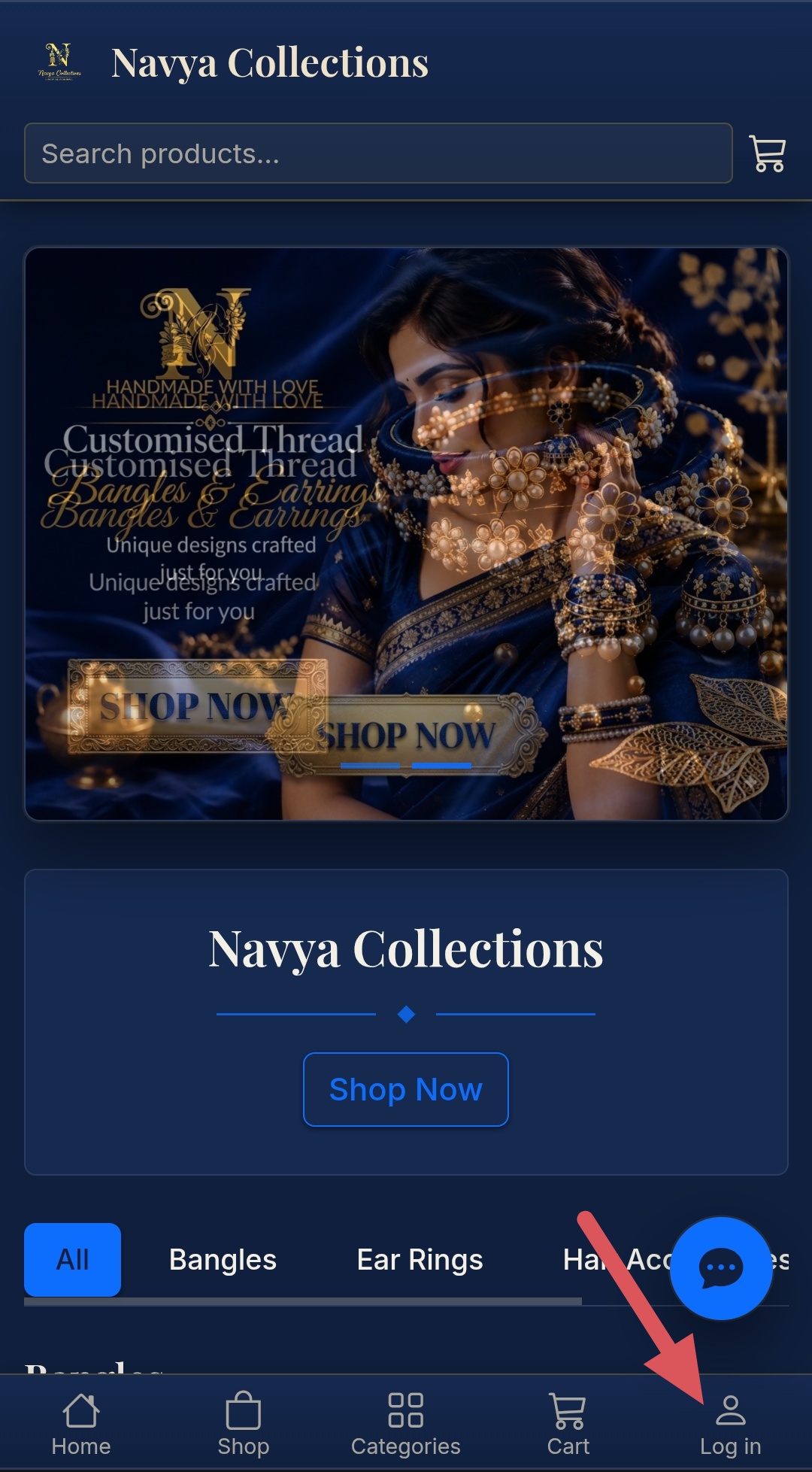
Step 8: Again go to login in page by clicking login icon
Use Email id or Phone Number as Username and Enter your Password then click sign in.
1. How to Create Account ?
Step 1: visit https://navya.trinix.in
Step 2: Click on the Login Icon Shown in Image
Step 3: you are redirect to login page
Step 4: Click Create an Account as Shown in Image
Step 5: Your are redirect to Create Account Page
Step 6: Fill all the details and Create an Account
Step 7: After Creating Account you get login credentials to your registered email.
Step 8: Again go to login in page by clicking login icon
Use Email id or Phone Number as Username and Enter your Password then click sign in.